Overview
Connect Four is a two-player game, with players taking turns to drop a coin into any of the seven columns in the game board. The game ends when a player gets four of their colored coins in a row, or when the board fills and the game is a tie.
The game was built using pure JavaScript for game logic, HTML for structure and CSS for styling. It demonstrates understanding of concepts such as DOM manipulation, control structures, and event handling in JavaScript.
See the code in my Github repository
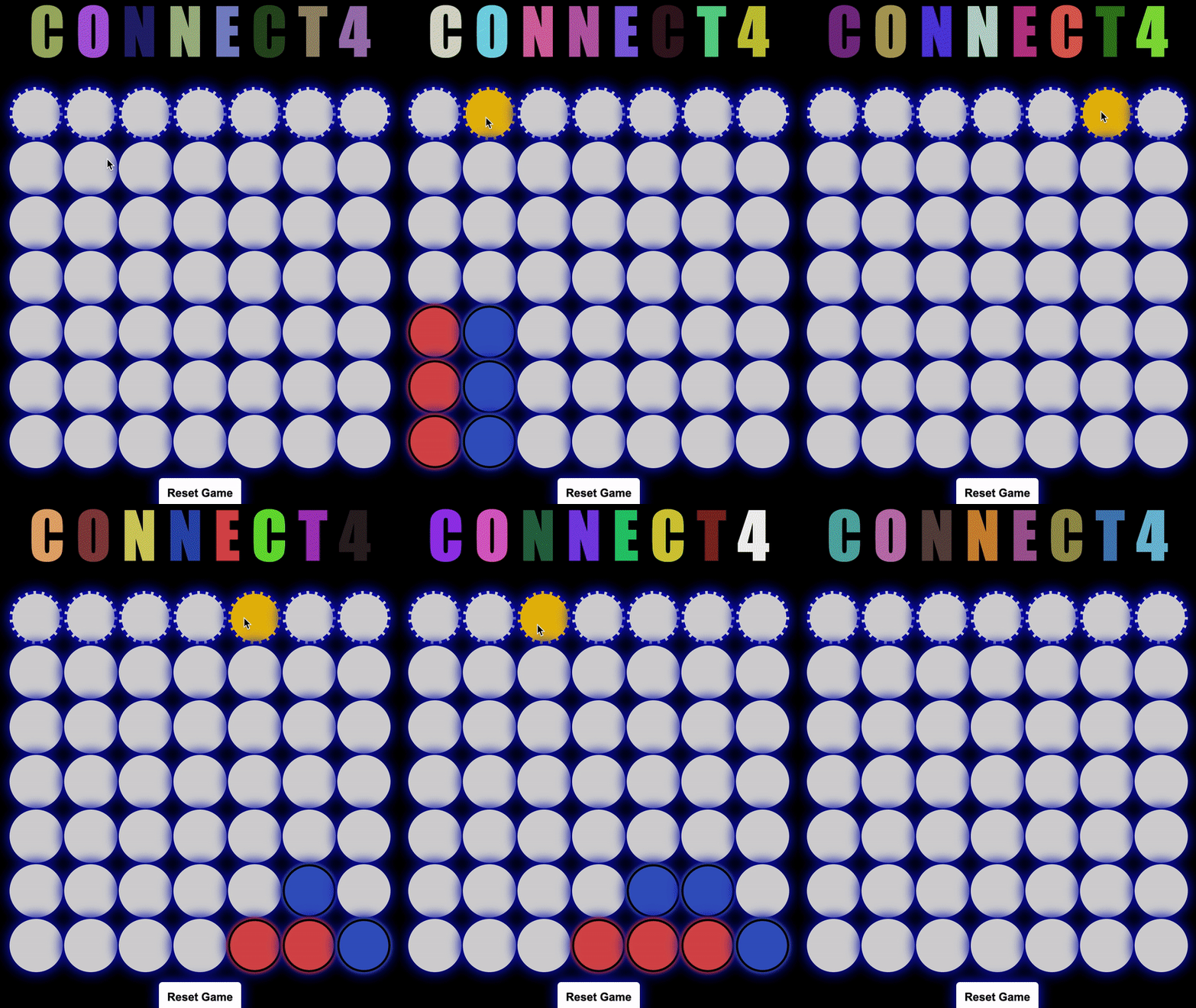
Below is a GIF illustrating the dynamics of the game Connect Four. It exhibits an engaging sequence where two players alternately place red and blue tokens into the game grid, using the top row - highlighted in gold - as their point of entry.
The GIF also demonstrates two distinct rounds, showcasing various winning conditions. A player can achieve victory by aligning four matching tokens in any direction: vertically, horizontally, or diagonally (either left-leaning or right-leaning).
For further rounds, players can conveniently reset the board by clicking on the ‘Reset’ button located at the bottom. This action instantly clears the game grid, paving the way for a fresh start.
Upon the conclusion of a round, an alert message is displayed, declaring the winner. Thus, Connect Four offers a riveting and interactive gameplay experience as depicted in the GIF.
DOM Manipulation
The Connect Four game makes extensive use of Document Object Model (DOM) manipulation to dynamically create the game board, handle user interactions, visually represent the game state, and provide a responsive and interactive user interface. Here’s how I accomplished this:
-
Board Creation (makeHtmlBoard function): This function creates the HTML structure of the game board using DOM manipulation. It first gets a reference to the ‘board’ element from the DOM using document.getElementById(). Then it creates the top row where users will click to drop their coins. For each cell in the row, an ‘id’ attribute is set to match the cell’s column number. Each cell is then appended to the row using top.append(headCell), and finally the whole row is appended to the ‘board’. Following this, the function creates the rest of the cells in a similar fashion, but with an ‘id’ that represents its coordinates (${y}-${x}).
-
Event Handling (handleClick function): The function handleClick is attached to the top row of the board and is triggered when the user clicks on any cell in the row. Using the event target’s ‘id’, it determines which column to drop the coin in. This is an example of event handling in the DOM.
-
Coin Placement (placeInTable function): This function updates the DOM to visually represent a coin being dropped into a cell on the board. It first creates a new ‘div’ element to represent the coin and then appends this element to the cell in the corresponding coordinates. This is done using document.getElementById() to find the cell and space.append(coin) to append the coin.
-
Game Reset (Reset event listener): When the ‘reset’ button is clicked, an event listener clears both the ‘board’ array and the visual coins from the HTML board. This is done by selecting all the cells using document.querySelectorAll() and removing all child nodes (the coins) from each cell.
-
Color Animation (randomRGB and setInterval functions): These functions generate random colors for the game’s title letters. randomRGB generates a random RGB color string, and setInterval applies this color to each letter every 500 milliseconds, resulting in a color-changing animation. This is an example of using DOM manipulation to dynamically style elements.
-
Game Initialization (makeBoard and makeHtmlBoard calls): At the end of your script, these functions are called to initialize the game. This includes creating the board array and the visual HTML game board.
Event Handling
-
Top Row Clicks: The handleClick function is an event handler that is triggered when a player clicks on a cell in the top row to drop a coin. The event listener is attached to the top row in the makeHtmlBoard function.
-
Game Reset Button: A click event listener is attached to the reset button, which triggers an anonymous function that resets the game board both visually and in the underlying data structure.
-
Color Animation: The animation of changing colors for each letter in the game’s title is triggered by an interval event, set by setInterval().
Tech Stack
- JavaScript
- HTML
- CSS